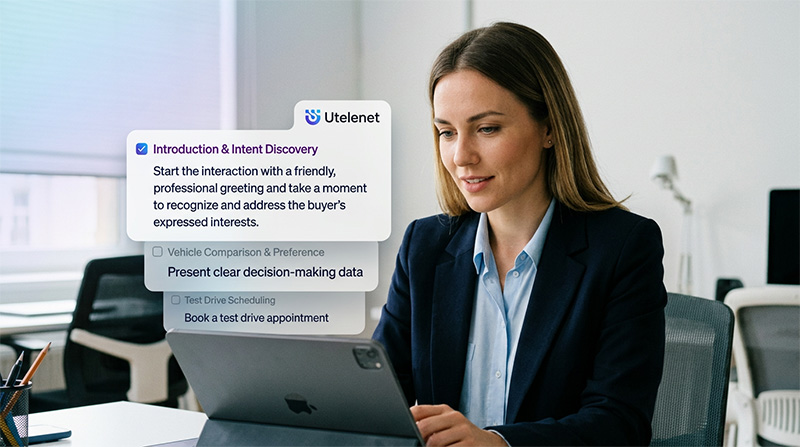
Customer support phone system for inbound calls, service quality and manager visibility
A modern customer support phone system helps support teams manage every customer call with more structure, context and speed. Support is not only about answering the phone. It is about understanding why the customer called, routing the call to the right team, reducing missed calls, keeping call history visible and making sure the next step is clear after the conversation.
Utelenet gives support teams a cloud communication platform with inbound calls, queues, IVR, routing, missed call visibility, call history, AI summaries, transcripts, follow-up tools, service quality analytics, CSAT visibility and manager dashboards. This helps support teams work from one connected system instead of switching between phone logs, recordings, separate message tools and manual notes.
For customer support teams, every conversation can shape the customer experience. A caller may need help with an order, a product question, a service request, an appointment, an account issue or a follow-up after a previous conversation. When the team can see the full context, customers do not need to repeat the same details, agents can answer with more confidence and managers can understand service quality more clearly.
Why a customer support phone system matters for growing service teams
The customer service technology market is growing because companies are investing in better ways to manage communication, experience and support performance. The contact center software market is projected to grow from USD 77.82 billion in 2026 to USD 263.75 billion by 2034. The customer experience management market is projected to grow from USD 26.11 billion in 2026 to USD 84.22 billion by 2034. These numbers show a clear direction: businesses want stronger systems for customer communication and service visibility.
For growing support teams, a customer support phone system becomes important because call volume, customer expectations and follow-up work usually increase together. At the beginning, a small team may answer calls manually. Later, the same business may need IVR, queues, routing, call center solutions, message follow-ups, AI summaries, transcripts and manager reporting.
Utelenet helps teams manage that growth with a more organized support workflow. Calls can enter the right queue, reach the correct department, be summarized after the conversation and remain connected to customer history. Managers can see response speed, missed calls, agent activity and follow-up quality. This makes support call management easier to control and easier to improve.
- Inbound calls can be routed to the right support team, queue or agent.
- Missed calls become visible and easier to return.
- Call history helps agents understand previous conversations.
- AI summaries and transcripts help managers review calls faster.
- Follow-up tools help teams continue support after the call.
- Analytics gives managers visibility into service quality, CSAT signals and team performance.
What a customer support phone system should include
A useful support phone system should cover the full customer communication journey. It should help the team answer calls, route them correctly, manage queues, review conversations, send follow-ups and measure support quality. A simple phone line can show that a call happened, but it does not show whether the customer waited too long, reached the right person, received a clear answer or needed another follow-up.
Strong customer service phone system workflows usually include inbound call management, IVR, smart routing, call queues, missed call tracking, recordings, AI summaries, call transcripts, message history, CSAT analytics and dashboards for managers. These tools are most valuable when they work together inside one platform.
Utelenet connects these parts so support teams can manage calls and customer context from one place. A customer can call, wait in the right queue, speak with an agent, receive a follow-up message and call again later while the team keeps the previous context visible. This helps create a smoother support experience and gives managers better control over daily service activity.
Inbound calls, IVR and routing for support teams
Inbound calls are the center of many support operations. Customers call when they need a fast answer, a clear explanation or help from a real person. If calls arrive without structure, agents may receive the wrong questions, customers may be transferred too often and managers may struggle to understand where the pressure is coming from.
IVR and routing help organize that first step. Customers can choose support, sales, billing, reception, delivery, account help or another service option. Calls can then move to the right queue, group or agent. This helps customers reach the correct team faster and helps agents focus on the calls they are best prepared to handle.
A practical customer support phone system should make routing easy to manage and easy to review. Utelenet helps managers see how calls move through the support workflow, where customers wait, where calls are missed and where response speed can improve. This turns routing from a technical setting into a real service quality tool.
Queues and missed calls in support call management
Support queues help teams manage high call volume during busy hours. When several customers call at the same time, a queue keeps the demand organized and visible. Managers can see how many callers are waiting, how long they wait and where support pressure appears.
Missed calls are especially important for support teams because they often represent customers who still need help. A missed support call may become another call later, a message, a repeated request or a customer waiting for an answer. When missed calls are visible, teams can return them faster and managers can understand where the workflow needs more support.
Utelenet helps make missed calls part of the support process. A missed call can be tracked, returned and connected to call history. Managers can review missed call patterns by team, agent, queue or period. This helps support teams improve coverage and reduce gaps in customer communication.
Customer support phone system workflows with AI summaries and transcripts
Customer support phone system workflows become stronger when calls are easy to review after they end. A support call may include a customer issue, troubleshooting details, a promised update, a service explanation or a next step. If those details stay only inside a recording, managers and agents may need too much time to find them later.
The call center AI market is projected to grow from USD 1.99 billion in 2024 to USD 7.08 billion by 2030. This growth reflects the growing use of AI tools for customer experience, operational efficiency and call review. In support teams, AI is useful because it helps turn conversations into practical information.
Utelenet uses AI summaries and transcripts to help teams understand support calls faster. A summary shows the main point of the call. A transcript gives a readable version of the conversation when deeper review is needed. Recordings remain available for full quality review. Together, these tools help agents continue cases with better context and help managers review service quality more efficiently.
- AI summaries help agents understand the main issue after a call.
- Transcripts make support conversations easier to review and search.
- Recordings support deeper quality control when needed.
- Call history helps the next agent continue from the right place.
- Managers can use real support conversations for coaching and training.
Follow-up after support calls
Support does not always end when the call ends. A customer may need an SMS update, a WhatsApp message, an email with instructions, a callback or another service confirmation. If the follow-up is not connected to the call, the customer journey can feel disconnected and the team may lose important context.
Utelenet helps support teams connect calls with follow-up activity. A call can be summarized, transcribed and continued through messages. The team can see what was discussed and what was sent later. Managers can review whether follow-up happened and whether the customer received the right next step.
This is useful for customer support call tracking because it shows the full service path. A customer calls, the agent helps, the next step is sent, and the conversation remains visible in history. That gives the business a clearer way to understand support performance beyond call volume alone.
Service quality, CSAT and customer experience visibility
Service quality depends on speed, clarity and context. A customer usually wants to reach the right person, receive a clear answer and know what happens next. CSAT analytics and customer experience analytics help managers connect these moments to real support performance.
A customer support phone system with dashboards can show response times, missed calls, queue activity, agent performance, follow-up activity and support outcomes. This gives managers a practical way to understand how communication affects the customer experience. If response time improves, the experience can feel smoother. If follow-up becomes more consistent, customers can feel more informed. If call history is visible, customers do not need to repeat the same issue.
The contact center analytics market is projected to grow from USD 1.91 billion in 2024 to USD 5.75 billion by 2030. This reflects the value of monitoring service metrics, employee performance, call times, customer satisfaction and efficiency. Utelenet brings these ideas into daily support workflows through dashboards, call analytics, summaries, transcripts and message history.
Manager dashboards for support performance
Support managers need more than a list of calls. They need to see how the team is performing: how many calls came in, how many were answered, how many were missed, how long customers waited, which agents were active and which issues repeated. A manager dashboard helps turn this activity into a clear operating view.
Utelenet helps managers review support activity by agent, team, queue, period and customer history. Team leaders can identify where agents need coaching. Managers can see where call volume increases. Business owners can understand whether customer support is becoming faster, clearer and easier to manage.
AI summaries and transcripts make dashboards more useful because they add conversation context to the numbers. A dashboard may show that support calls increased. Summaries can show what customers were asking. Transcripts can provide detail when a manager needs deeper review. This creates a stronger support management workflow.
How Utelenet supports customer support phone system workflows
Utelenet supports customer support phone system workflows by bringing inbound calls, queues, IVR, routing, missed calls, call history, AI summaries, transcripts, follow-up tools, CSAT analytics and manager visibility into one platform. It helps support teams manage the full customer conversation, not only the phone call itself.
The platform is useful for customer support teams, BPO operations, SaaS companies, ecommerce stores, healthcare providers, financial service teams, service departments and remote support teams. Each team may support customers differently, but the need is the same: answer faster, keep context, follow up clearly and give managers better visibility.
Utelenet helps agents work with the right information and helps managers improve service quality with real communication data. Calls become easier to route. Missed calls become easier to recover. Conversations become easier to review. Follow-up becomes easier to track. Support performance becomes easier to understand.
Conclusion: support calls become clearer, faster and easier to manage
Customer support depends on clear communication. A team needs to answer inbound calls, route customers correctly, manage queues, recover missed calls, keep call history visible and follow up after conversations. Managers need service quality metrics, CSAT visibility and performance dashboards to understand how support is working.
For growing support teams, a customer support phone system is not only a phone setup. It is the foundation for better support call management, stronger customer service workflows and clearer manager visibility.
Utelenet brings call center solutions, call center management software, AI summaries, transcripts, follow-up tools and customer support call tracking into one communication platform, helping teams deliver faster answers, better context and more professional support from the first call to the final follow-up.